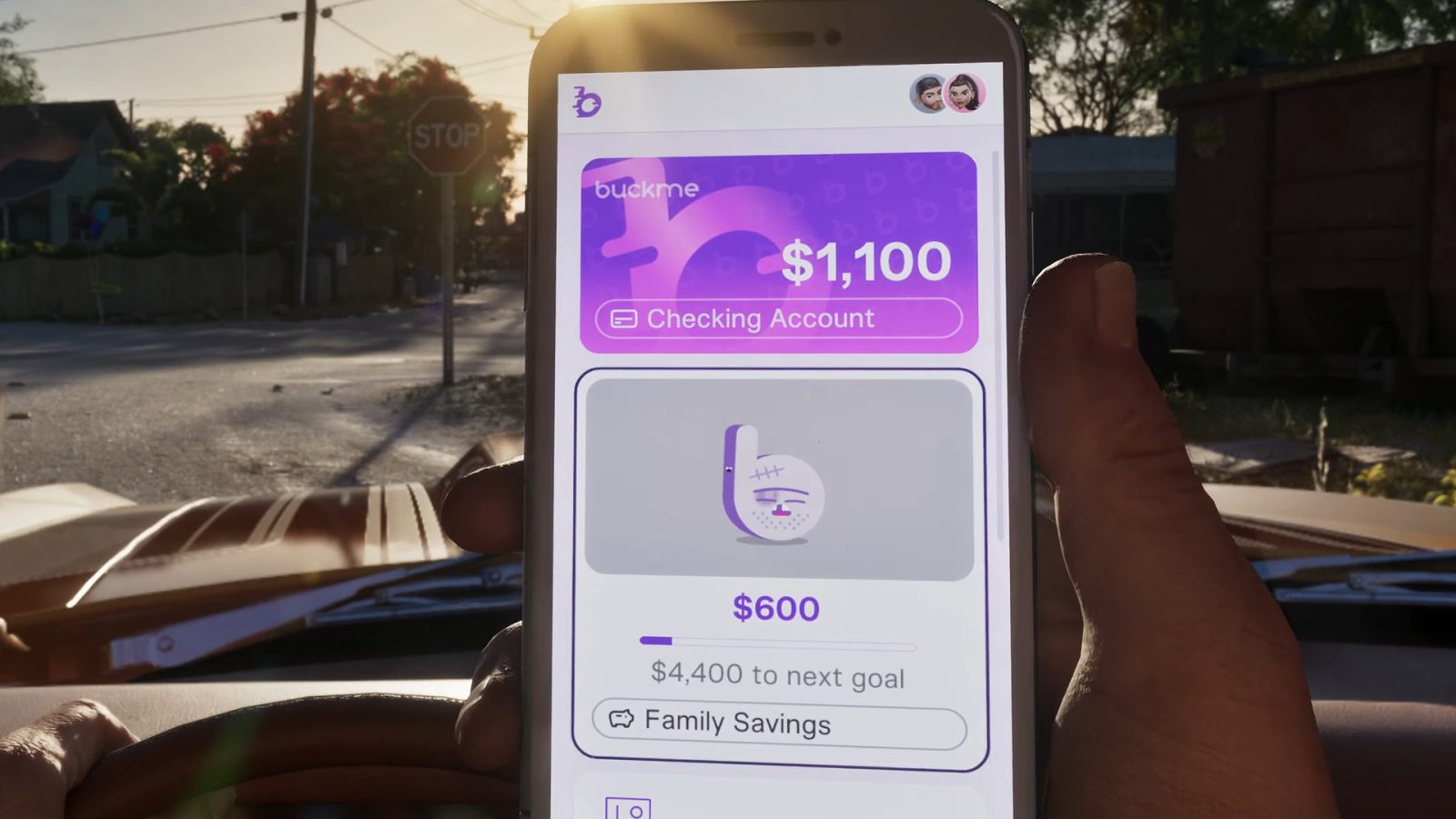
The Save for the Future mission in GTA 6 is the twenty-sixth chronological mission of Chapter 1 in the Leonida Keys, available on November 19, 2026 in Grand Theft Auto VI. Directly connected to Buck Me and Deposit Cash Into BuckMe, this ongoing mandatory task runs across the entire story inside your mission log, tracking your contributions to Jason Duval and Lucia Caminos‘s shared Family Savings account in the BuckMe app. This complete walkthrough details all 6 Family Savings tiers (from $5,000 to $2,000,000), their permanent discount perks, and why you should bank at least $5,000 before the end of Chapter 1.
Warning
Spoiler & bankroll warning: this guide for the Save for the Future mission in GTA 6 reveals all 6 Family Savings tiers and an essential warning for the final missions of Chapter 1 (Recalibration and Tourist Trap), where you lose all pocket cash you carry into them.
In short: Save for the Future mission overview in GTA 6
| Detail | Information |
|---|---|
| Number & Chapter | Mission #26 — Chapter 1 (The Keys) (continues across all chapters) |
| Mission Type | Ongoing Main Story Mission (Required for 100%) |
| Mission Giver | BuckMe smartphone app (Family Savings menu) |
| Playable Character | Jason Duval & Lucia Caminos |
| Difficulty | Easy (multi-tier savings objective, first Chapter 1 goal is $5,000) |
| Rewards | Raises Checking Account limit up to $2,000,000 + permanent discounts (20% off RydeMe, 20% off garages, 10% off liveries) |
| Previous Mission | #25 Deposit Cash Into BuckMe |
| Next Mission | #27 Day Release |
Step-by-step walkthrough for the Save for the Future mission in GTA 6
Step 1: Transfer money from your Checking Account into Family Savings to reach the $5,000 goal
Just like Deposit Cash Into BuckMe, the Save for the Future mission in GTA 6 has no map marker and sits in your active mission list throughout the campaign. After depositing your pocket cash at an ATM (such as the **$3,400** payout from Find the Lost Drugs and the **$1,300** from Down to Earth), open the purple BuckMe app on Jason’s smartphone.
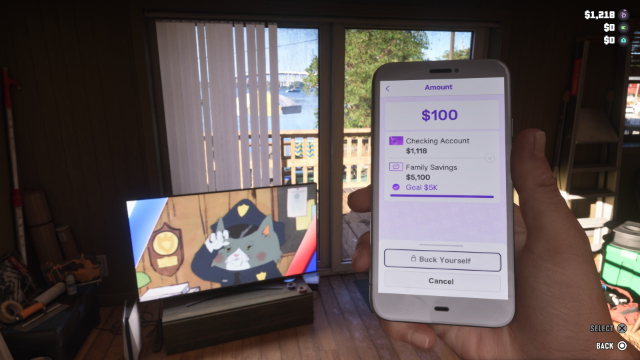
Open the Checking Account tab, choose the amount you want to transfer, and press the Buck Yourself button to move the funds into Family Savings until you hit the first milestone of $5,000.
Step 2: Unlock all 6 Family Savings tiers and permanent BuckMe perks
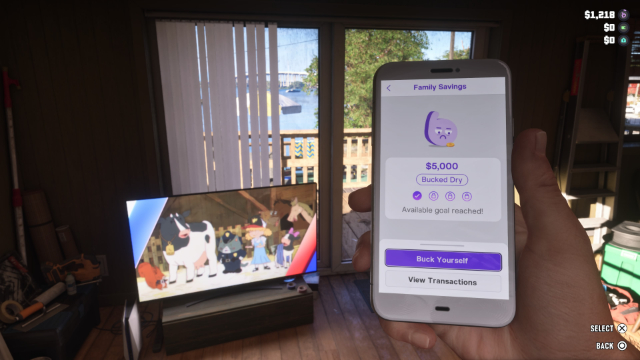
Each time you fill the current savings bar in the Save for the Future mission in GTA 6, the app displays Available goal reached! and the next tier unlocks as you progress further in the main story. Here is the complete breakdown of all **6 Family Savings tiers and perks** covered in our GTA 6 money and BuckMe guide:
| BuckMe Tier Name | Total Family Savings Required | New Checking Account Limit | Permanent Perk Unlocked |
|---|---|---|---|
| 1. Buckin’ Broke | $5,000 | $15,000 | Chapter 1 baseline tier (no discount perk) |
| 2. Bucked Dry | $10,000 | $100,000 | 20% off all RydeMe fast-travel rides |
| 3. BuckMe Gold | $100,000 | $500,000 | 20% off all personal garage purchases |
| 4. BuckMe Premium (BuckMe Black) | $500,000 (or auto-unlocked at Chapter 4) | $2,000,000 | 10% off all vehicle liveries |
| 5. Rich as Buck | $1,000,000 | $2,000,000 | Advances toward the best financial ending requirement |
| 6. Final Tier | $2,000,000 | $2,000,000+ | Completes the ultimate savings milestone (impacts GTA 6 endings) |
Tip
Critical warning before the end of Chapter 1! Make sure to transfer at least **$5,000 into Family Savings** before starting Recalibration and Tourist Trap at the end of Chapter 1. You lose all the pocket cash you bring into those closing missions, whereas every dollar inside Family Savings is permanently protected!
Frequently asked questions
Do you have to save all $2,000,000 in Save for the Future during Chapter 1 of GTA 6?
No, Save for the Future runs across the entire campaign: only the first $5,000 goal is required in Chapter 1, while higher tiers unlock as you advance through later chapters.
Why should you move money into Family Savings before Recalibration and Tourist Trap?
The closing missions of Chapter 1 strip away all the pocket cash you carry into them, whereas money stored inside Family Savings can never be lost.
What are the best perks unlocked by Family Savings in GTA 6?
Reaching Bucked Dry ($10,000) gives 20% off all RydeMe trips, BuckMe Gold ($100,000) gives 20% off all garage purchases, and BuckMe Premium ($500,000) raises your checking limit to $2,000,000 with 10% off vehicle liveries.
What’s next?
With your first $5,000 safely locked into Family Savings, Kat and Mattia Tauro invite Jason and Lucia to meet them at The Rusty Anchor for a full day of yachting, jet-skiing, and clubbing in Vice City. Continue with our complete walkthrough of the #27 Day Release mission in GTA 6 or return to the full Chapter 1 Keys mission hub. You can also explore the official Leonida Keys world overview on Rockstar Games alongside this Save for the Future mission in GTA 6 walkthrough.

Leave a Reply